Road trip planner for iPhone. Android planned.

Road trips with better stops.

Describe your drive once. Ownway finds and orders the right stops, then hands the route to the maps app you use, including Waze one leg at a time.

Available on the App Store. Android is planned.
Ownway route preview from Vienna to Budapest with a coffee stop
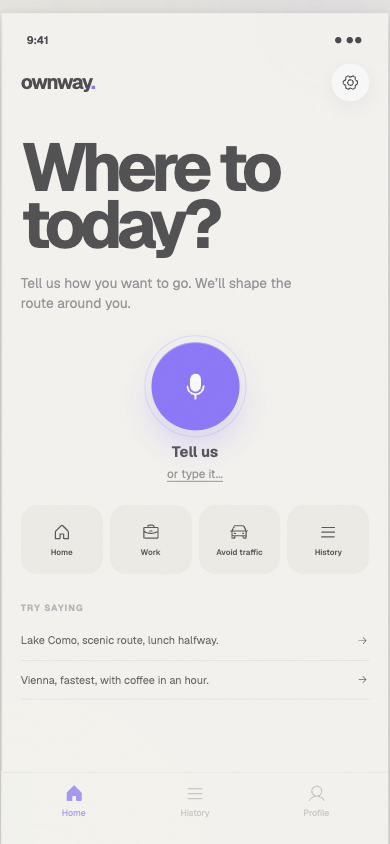
Ownway home screen ready for a spoken or typed road trip request

Say the trip the way you mean it.

Start with the places you know, then describe the stops, timing, and route preferences you want along the way.

From one brief to one ready route.

  1. 01

    Describe

    Speak or type the destination, stops, timing, and route preferences in one request.

  2. 02

    Compare

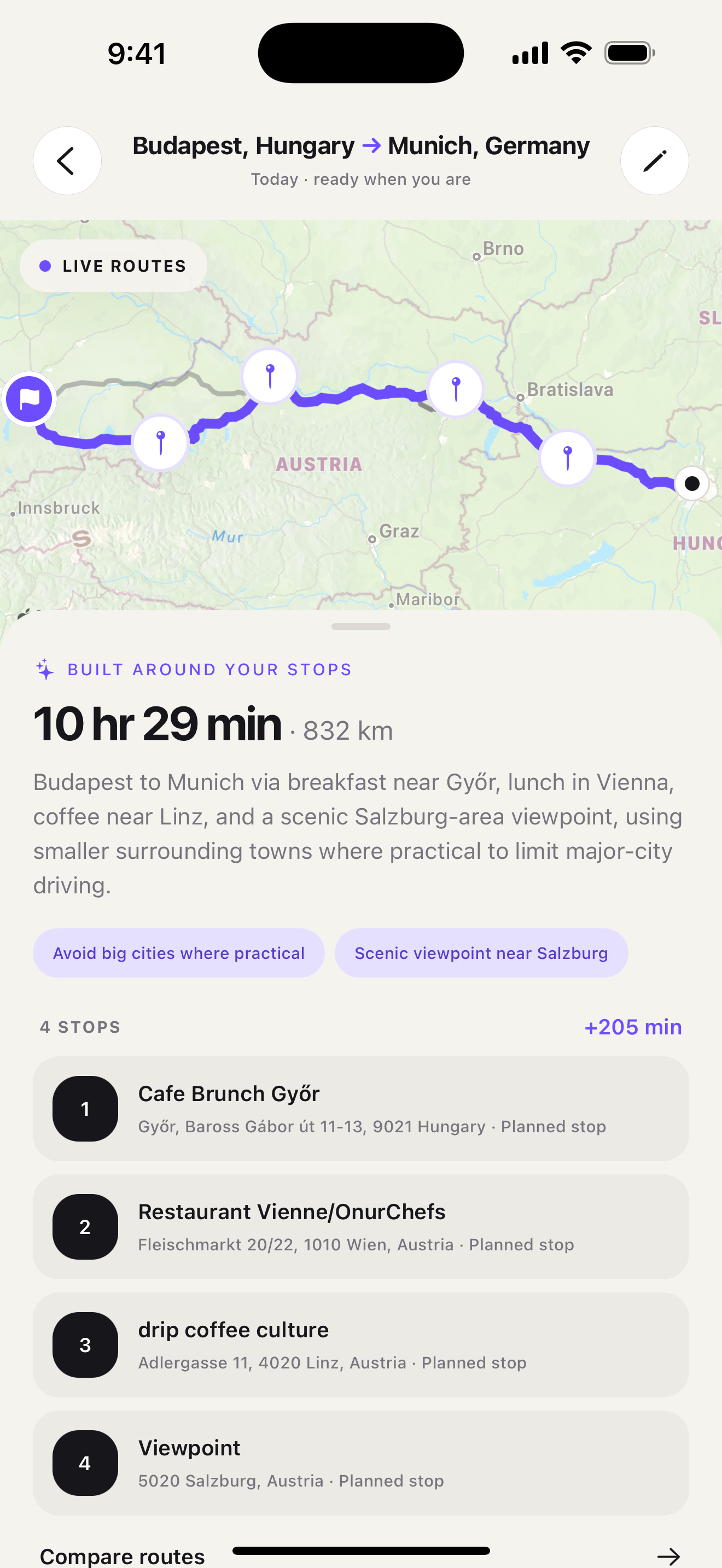
    Review ordered stops, direct alternatives, and the aggregate time or distance the planned itinerary adds.

  3. 03

    Drive

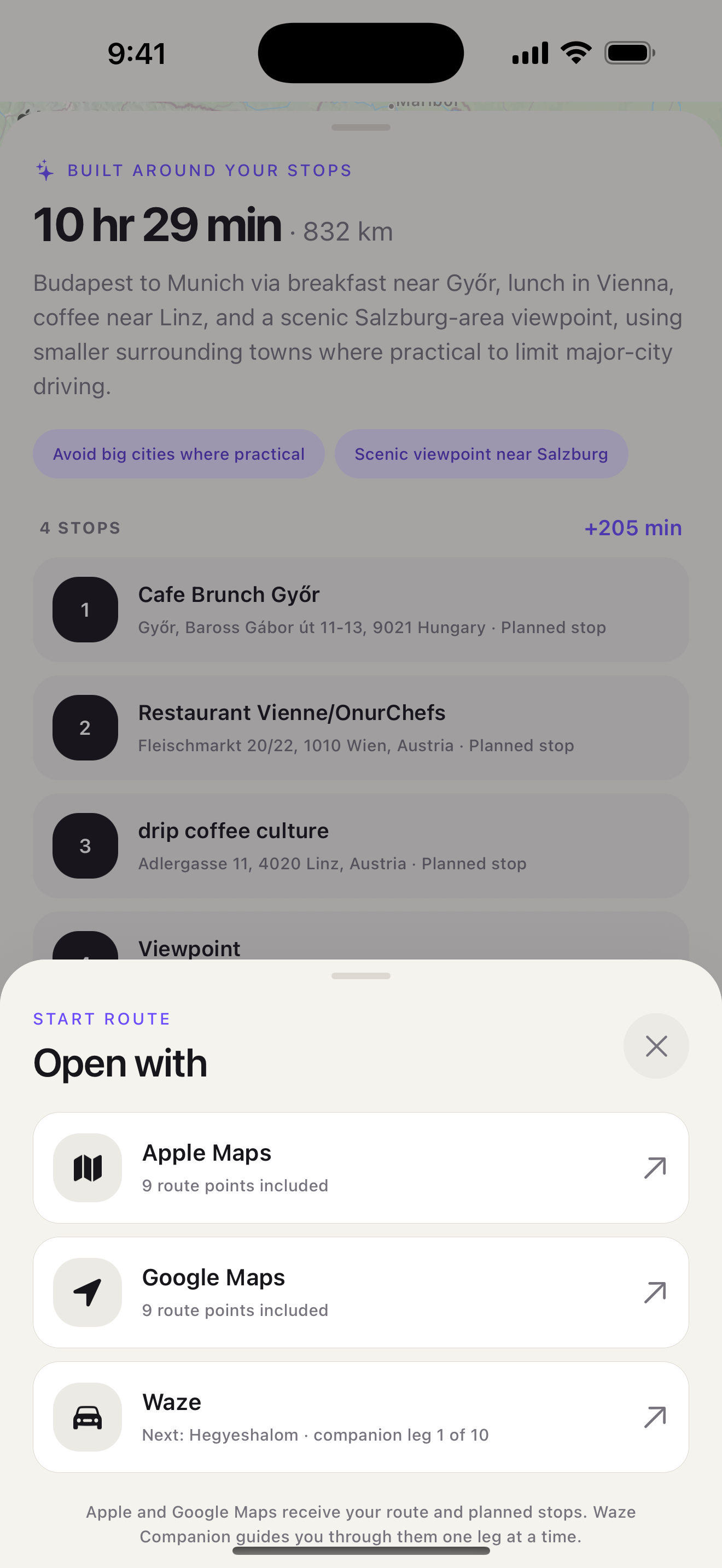
    Open the planned points in Apple Maps, prepare a Google Maps directions link, or use Waze Companion one leg at a time.

The route, before the road

See what the planned stops add.

Ownway puts stop order, route shape, duration, distance, and the aggregate difference from a direct route in one preview. Choose the route that feels right, not only the shortest one.

Stops
Ordered for the whole drive
Alternatives
Compared before navigation
Trade-offs
Time and distance made clear
Ownway route preview showing an ordered coffee stop and its four-minute detour

Waze Companion

Waze is great for driving. Not for long stop lists.

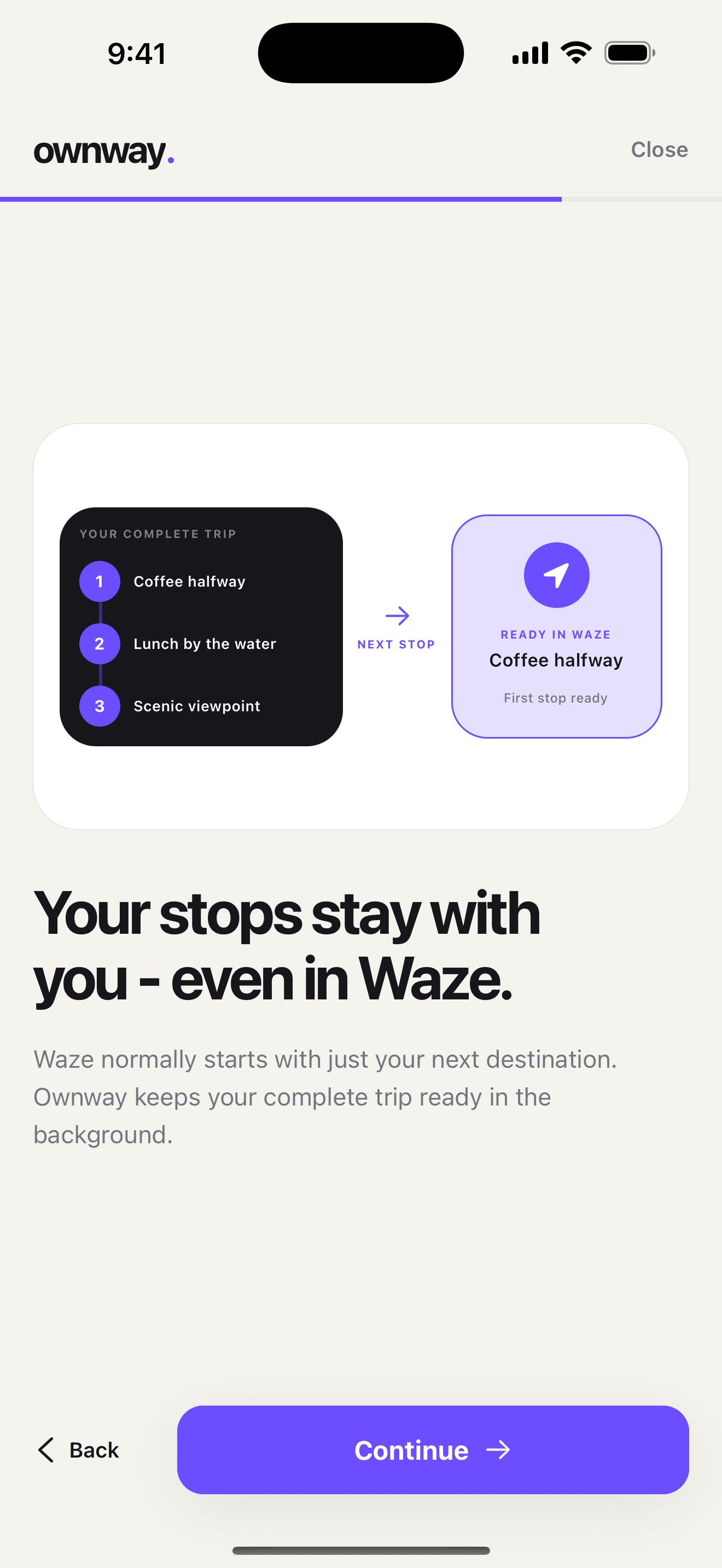
Waze lets you add one intermediate stop before the destination. If your road trip has lunch, coffee, viewpoints, and route-shaping points, the full plan has to live somewhere else.

Read the Waze stop-limit guide
01Plan the whole trip in Ownway

Keep every planned stop, timing preference, and route-shaping point in one itinerary.

02Drive the next Waze leg

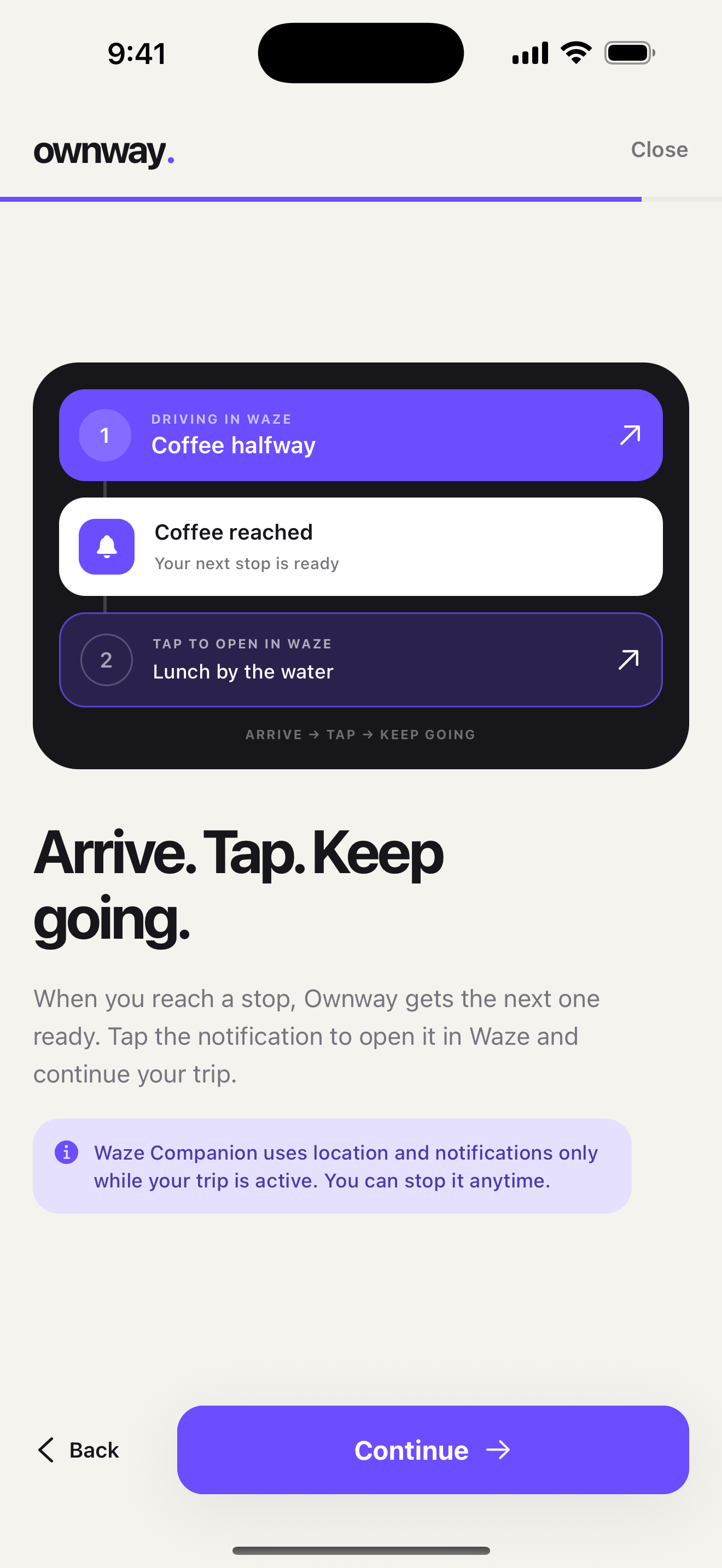
Ownway prepares the next Waze destination when you reach a planned point.

03Continue without rebuilding the route

Tap the next notification and keep moving through the itinerary one leg at a time.

Ownway Waze Companion screen showing the next Waze leg in a multi-stop itinerary
Ownway Waze handoff screen preparing the next destination

Your saved trips stay on your device.

Saved places and trip history are stored locally. Route requests and your starting location are processed by Ownway and the routing providers needed to build the trip.

Read the privacy policy

Questions, answered.

What to know before you plan your first drive.

What is Ownway?

Ownway is a road trip planner for drives with several experience-led stops. Describe the trip you want, and Ownway finds suitable places, orders them, compares the route, and prepares it for navigation.

Does Ownway replace my navigation app?

No. Ownway plans the route and stops, then prepares the itinerary for Apple Maps or a universal Google Maps directions link. Google waypoint support depends on whether that link opens in the app or a browser. You keep using the navigation app you already know.

How does Ownway work with Waze?

Waze supports one intermediate stop in a native route, so Ownway keeps the full multi-stop itinerary outside Waze. Waze Companion prepares the next Waze leg as you reach each planned point; tap the notification to continue, or stop Companion at any time.

Can I compare route options?

Yes. Ownway compares the planned itinerary with direct alternatives and shows the aggregate time or distance trade-off before you start driving.

Is Ownway available?

Ownway starts on iPhone through the App Store, and Android is planned for a future release.

Where is my trip data stored?

Saved places and trip history stay on your device. Route requests and your starting location are processed by Ownway and the routing providers needed to build the trip.

ownway.

The destination is only half the drive.

Plan the route around the stops that make the trip worth taking.

Get Ownway